ZapRoute uses AI in a few places, and each one is narrow on purpose. Here is what it looks at, what it writes, what it never does and where your data lives — only what the app does today.
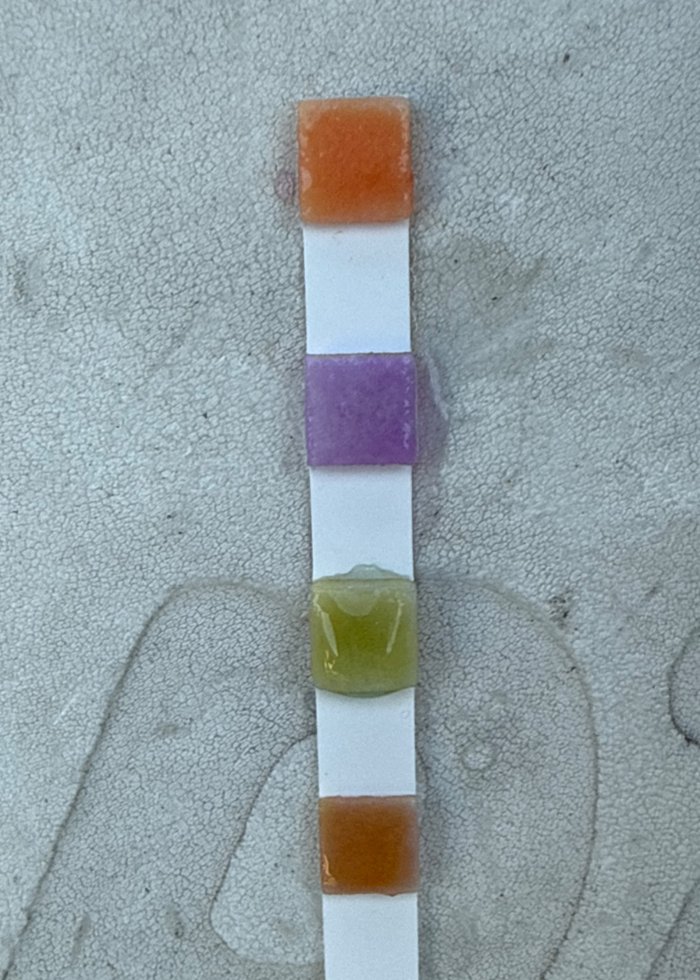
A real strip, photographed at the pool.
Every visit needs a photo, and the AI checks that it shows the service that was logged — a clean pool on a cleaning, a strip on a chemical test. It looks at the first five photos of a visit; every photo is kept as proof either way. When a photo does not match, it goes to the office desk for a person to look at.
When your company turns it on, the AI reads the strip from the photo after the visit is submitted, so the technician never waits. Each reading comes back with how sure the AI is, tagged AI in purple. With a Taylor kit the technician taps the values — the AI does not read kit colors.
From a nameplate photo, the AI can fill in brand, model and serial number — only on fields still empty, each marked high, medium or low confidence. Nothing is saved until someone taps Save, and it never overwrites what was typed.
Drafts, never messages. A person reads each one, can change it, and decides if it goes.
For every client who is past due, the AI drafts a reminder. The owner or the office edits it and sends it — one at a time or as a batch.
In a text conversation, Suggest with AI drafts a reply the office can still edit. Nothing goes out by itself — the office always presses send.
Questions about the app are answered from the product manual, in English, Portuguese and Spanish. When the manual does not cover something, it says so.
No readings, no products and no strip photo go to the homeowner — not on the report, not in the e-mail, not on the pool page. The readings stay with your office, where they are useful.
Either one marks a reading CHECK for a person to confirm. The mark never changes the value: the office opens Edit and confirms or corrects it.
Below 0.75 confidence, the reading comes in marked CHECK.
Water in a pool serviced every week does not jump. If the AI reads a pH more than 0.5 away from that pool's last reading, it is marked CHECK — even when the AI was sure. Chlorine, alkalinity, hardness and CYA have limits of their own.
Why two: a model that gets it wrong usually gets it wrong confidently. That is how a strip that read pH 7.8 was once stored as 6.8 with nothing flagged. A reading typed by hand is never marked, and neither is the first reading of a pool — there is nothing to compare it with yet.
Your clients, photos and readings live in your company's account. Other companies on ZapRoute never see them.
Photos get a second copy every night in a separate Google Cloud bucket. Removing a photo in the app takes it out of circulation; the backup keeps it. To erase one for real, write to support.
We don't run ads, and what is in your account is not for sale. The details are in the Privacy Policy.
Hey — I'm Zappy. I live inside ZapRoute, and I'm the one who reads the test strip from your tech's photo.
Ask me anything — or take a look around. I answer in English, Portuguese and Spanish, same as the app.
Try me on your own pools. Thirty days, no card, and I'll read your first strip today.
Hey — I'm Zappy. I live inside ZapRoute, and I'm the one who reads the test strip from your tech's photo.
Tap a question:
Your tech photographs the strip. I read free chlorine, pH, alkalinity and CYA — each value with how sure I am. Anything I'm unsure about I mark CHECK, and your office confirms it. Salt goes in by hand, and every product your tech adds is logged at your prices, so you see what each pool really costs.
Every visit leaves a photo you can trust. I check it: the same photo twice, a screenshot, a frame with no water — I flag it before your customer does.
$59 a month up to 60 pools, $99 up to 99, then a dollar a pool. We count the pools you serviced last month or the ones active on your routes today — whichever number is higher. Suspending at the end of the month doesn't lower it; the visits already happened.
The route lives on the phone. Photos, readings and salt go up by themselves when the signal comes back. Your tech never waits on a bar.
Try me on your own pools. Thirty days, no card, and I'll read your first strip today.
Start free